Recognise the event and determine command activation
IT outage, fire, power failure, mass casualty incident, evacuation, security event or infrastructure failure is assessed against the hospital emergency plan.

HOSPITALALARM.COM supports hospitals in rapidly activating predefined response teams, roles, on-call services and command structures, making responses visible and documenting alerting workflows in a traceable way.

HOSPITALALARM.COM supports structured activation as a prepared scenario: role-based, acknowledgeable by phone, escalatable and documented for after-action review.
IT outage, fire, power failure, mass casualty incident, evacuation, security event or infrastructure failure is assessed against the hospital emergency plan.
Medical leadership, nursing leadership, facilities, IT, safety, communications and other defined functions are alerted according to the scenario.
Telephone responses, acceptances, declines, unreachable contacts and outstanding responses are displayed in the operational dashboard.
Incident management and operational coordination share one view of responses, uncovered functions and escalation needs. Backup roles or additional alert levels can be activated when required.
The development is informed by more than 25 years of personal experience in hospital safety and organisation, including practical experience with telephone-based alerting since 2002.
View system architecture →Phone, app, email and escalation work together for incident management, on-call services, contingency operations, crisis teams and clinical coordination.

The platform is organised around functions, staffing requirements, responses and escalation — not only message delivery.
Define operational roles and required functions instead of relying only on individual contacts.
Compare confirmed functions with required staffing and identify operational gaps early.
Make acceptance, rejection, availability and ETA visible in one operational context.
Use prepared alternates and additional alerting when a required function remains open.
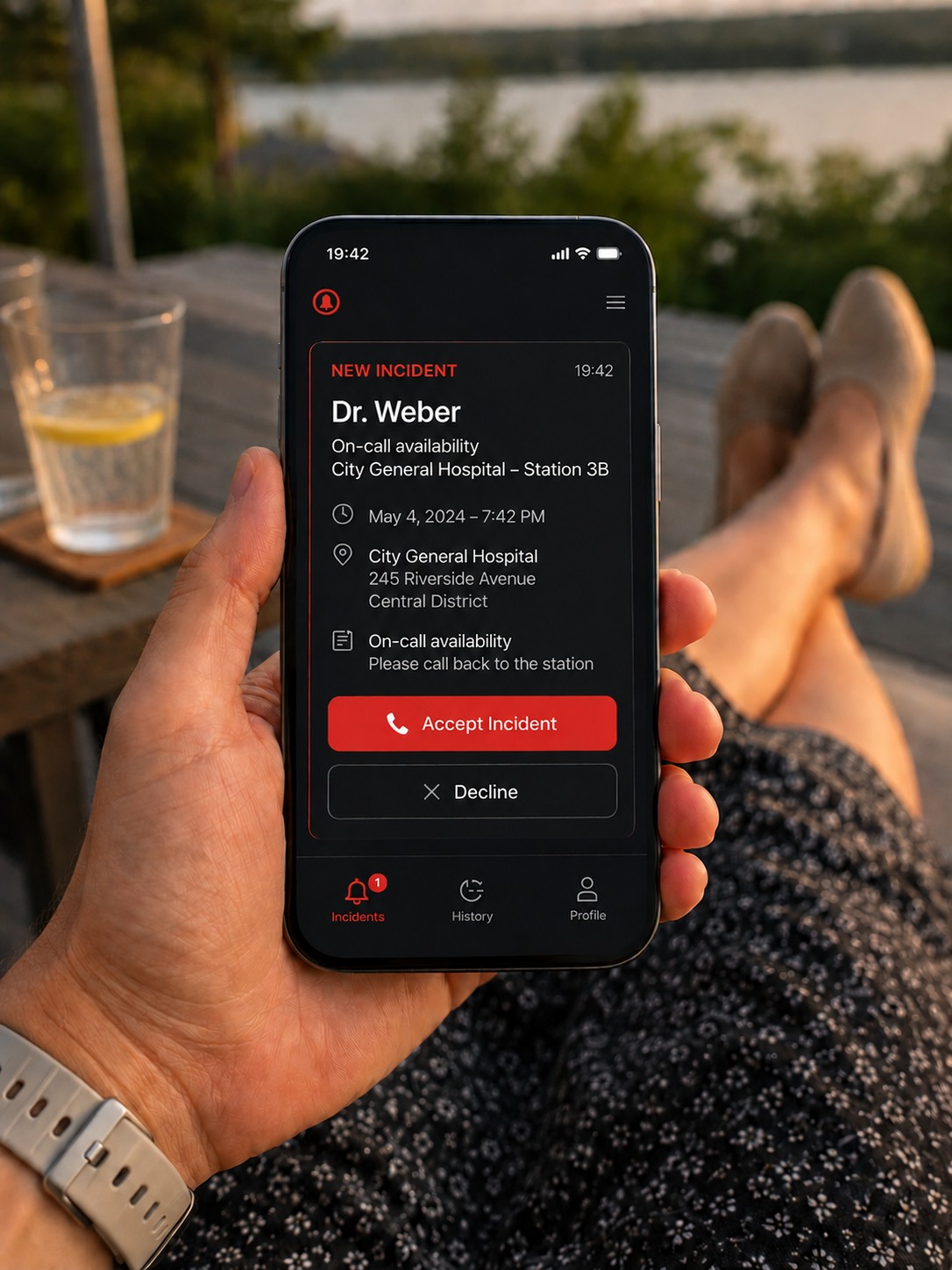
Medical on-call services, facilities, IT and other background functions can receive alerts outside the hospital, respond to an assignment and provide status information.
This keeps visible which roles accepted the incident, where responses are still missing and when further alerting or escalation is required.
The live function view connects required roles, confirmations, assignments and open gaps in one operational picture. The reference screen uses illustrative data and is designed to show how minimum staffing and escalation can be monitored during an incident.
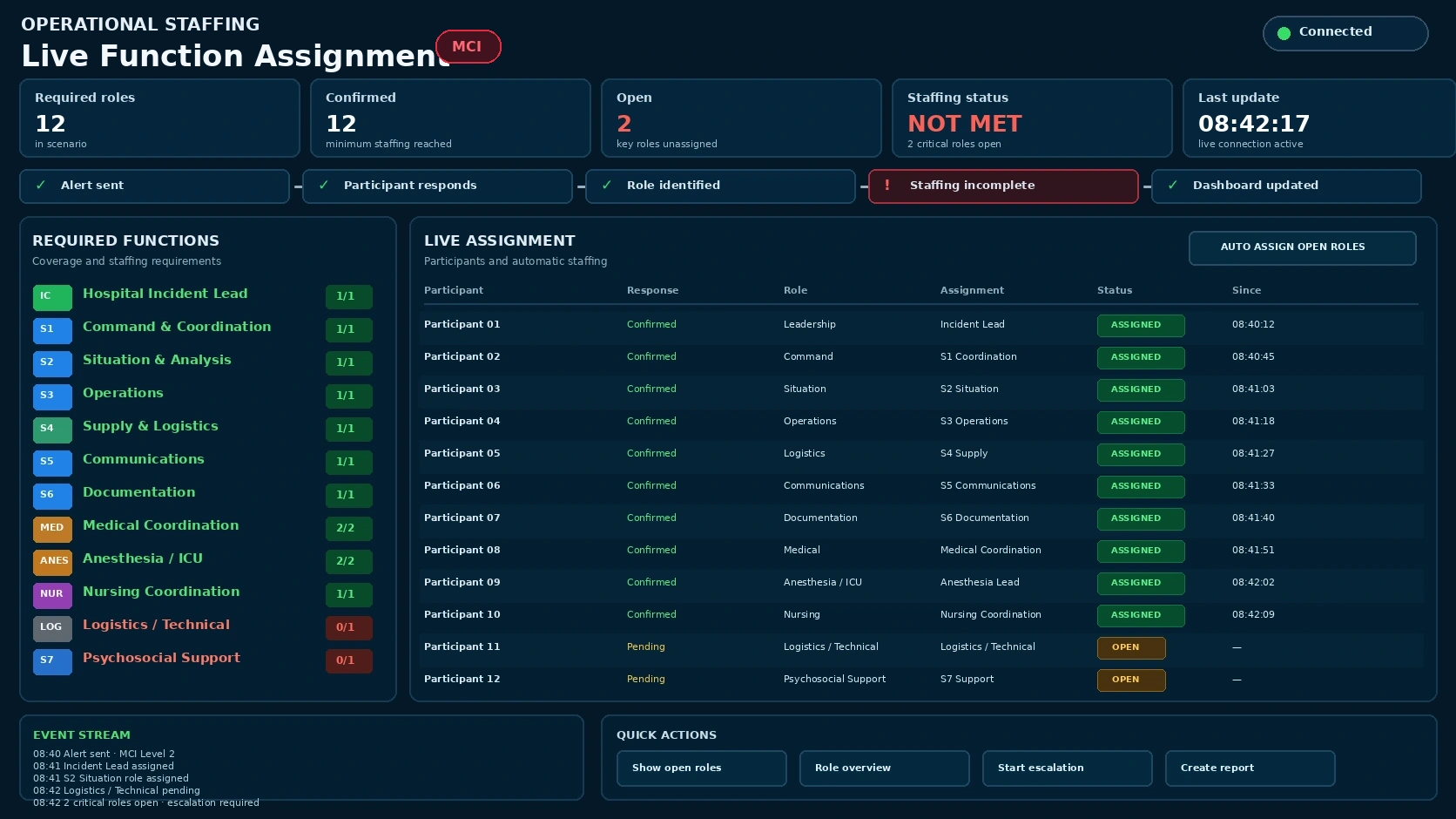
The focus is not a single notification. The focus is a traceable process from activation to response, escalation and operational overview.
The platform is intended for situations in which hospital functions must be coordinated under time pressure: emergency departments, incident management, operational coordination, facilities, IT, nursing, security, logistics and other defined groups.
A report from a control centre, emergency department, facilities, security, fire safety organisation or internal observation is assigned to a prepared scenario.
Prepared roles and alert groups are activated: incident management, Emergency Department, on-call services, facilities, IT, nursing, logistics and security.
Acknowledgements, missing responses, escalations, timestamps and closing notes remain available for exercises, review and data maintenance.
In a critical hospital situation, sending a message is not enough. Teams need to know whether defined roles were reached, which responses are available, whether backup coverage is required and whether operational leadership has a reliable current picture.
Examples below illustrate typical hospital function models. Actual implementation is adapted to organisation, emergency planning, privacy requirements, employee representation, reachability and local responsibilities.
Executive, medical, nursing, facilities, administration and communications roles can be alerted with meeting point, response options and incident information.
Medical, nursing, facilities and logistics staff can be assembled from the active duty structure for initial operational assessment.
Duty leadership, triage, admission, patient transport and security can receive prepared tasks for increased patient volume.
OR coordination, anesthesia backup, intensive care leadership and recovery can be alerted for capacity review and prioritisation.
Power, emergency power, medical gases, lifts, safety systems and equipment availability can be checked by role.
IT leadership, information security, HIS operations, networks, telephony and emergency communications can be activated in stages during cyber or system outages.
Access routes, restricted areas, entry points, media routes, visitor flows and critical zones can be coordinated.
Occupational safety, radiation protection, hazardous materials and technical advisory functions can be integrated into incident organisation.
Infection events, CBRN suspicion, blood products, medication supply and diagnostics can be mapped to dedicated escalation groups.
Staffing reinforcement, bed availability, patient relocation, assembly points and transport tasks can be coordinated by group.
Internal information, media requests, family communication and approved messaging can be managed as a dedicated alert chain.
Consumables, catering, PPE, beds, laundry, waste and supplier contacts can be tracked during incident operations.
Scenarios connect triggers, roles, communication channels, escalation logic, response options and documentation — creating an operational response model rather than isolated contact lists.
Emergency Department, OR, anesthesia, intensive care, transport, security and communications.
IT, information security, incident management, telephony, communications, clinical departments and contingency operations.
Facilities, clinical engineering, supply, nursing, intensive care and leadership.
Hospital security, incident management, communications, access control and defined specialist advisers.
Nursing, transport, facilities, security, receiving units and external interfaces.
The platform supports alert initiation from the protected web interface, voice, email, telephone and approved external sources. Channel, response, fallback and escalation are prepared per scenario and executed traceably.
Authorised users can start prepared scenarios through the protected web interface and follow progress in the operational dashboard.
Telephone voice calls with defined announcement, acknowledgement, fallback contacts and optional escalation steps.
Approved email triggers can initiate prepared workflows using defined scenario codes, source information and confirmation logic.
Defined initiators can start scenarios by phone using PIN, scenario code and organisationally assigned authorisation.
Approved systems can submit alert requests through a secured interface with source, event ID and scenario code.
Short messages can be configured as an additional information channel for incident updates and reachability information.
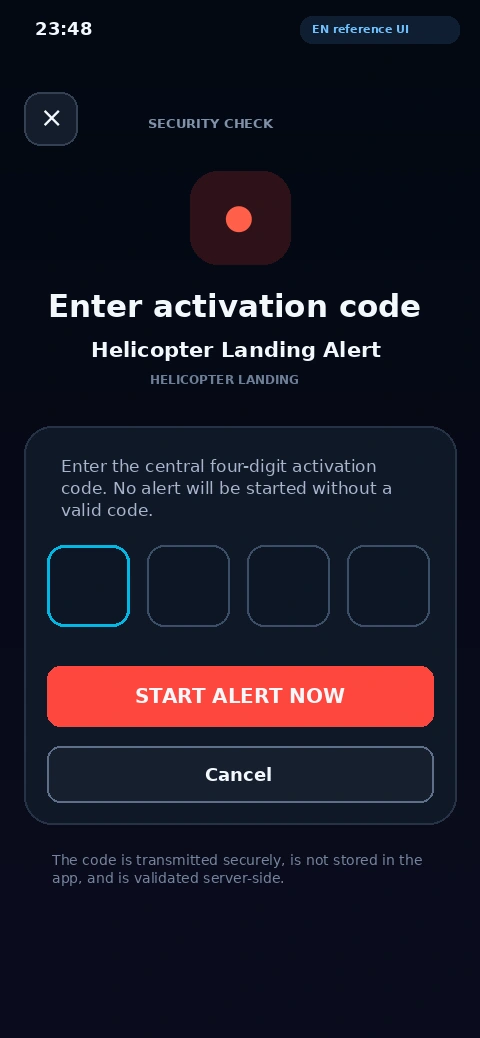
The reference screen shows a four-digit activation check for a predefined scenario. The code is validated server-side before the alert is started.
Turn static lists into a maintained alerting organisation with organisational units, roles, groups, contact endpoints, alternates, escalation paths, exercises and review.
Select a step to see how a prepared alerting workflow develops from activation to operational review.
Trigger, incident type, affected areas, priority and expected staffing/function demand.
Prepared alert groups, roles, alternates and escalation levels are activated.
Acknowledgement, reachability, availability and time windows become visible in the dashboard.
Missing responses can trigger additional alerting, alternate roles or further groups.
Incident management and operational coordination see open functions, bottlenecks and escalation needs.
Alert history, responses, times and measures are preserved for evaluation and exercises.
HOSPITALALARM.COM is designed for prepared alerting processes in hospital operations — not as an open consumer app, but as a structured platform for defined organisational units, roles and responsibilities.
The operational web view and mobile response channels connect to a central alerting and rules core. Interfaces and customer-specific integrations are evaluated for the configured deployment.
The platform supports clear responsibilities, role-based permissions, logging and resilience planning. Technical, organisational, privacy and operational requirements are reviewed for the specific hospital and system environment before production use.
Technical, organisational and legal prerequisites should be clarified before production deployment.
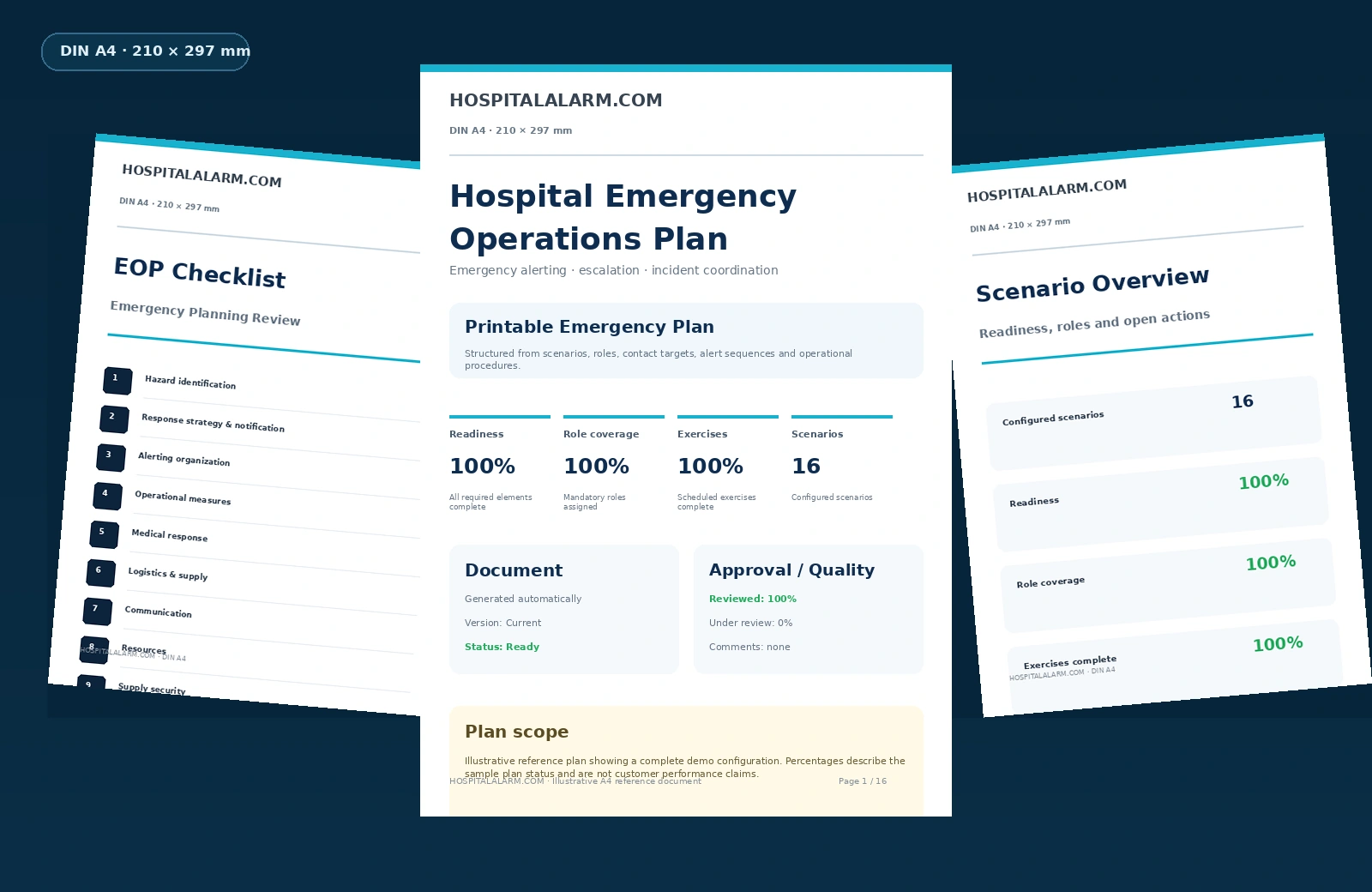
Reference plan documents can bring together scenarios, functions, contact groups, escalation logic and documented procedures in a clear exportable format.
HOSPITALALARM.COM supports structured maintenance of participant and contact endpoint data. Organisations can request recurring confirmation, monitor responses and follow up unresolved records.
Missing contact endpoints, outstanding confirmations, unverified alert contacts and outdated data can become visible before they create an operational problem.
For hospitals, university medical centers and healthcare groups that need to alert leadership structures, on-call services and critical functions in a structured and traceable way.
Request a professional consultation